H-Studio logo
Start a project

AI that survives EU AI Act and your operations team — not just the demo

Practical AI features inside the SaaS, portals and internal tools you already run — designed around workflow, human review and audit trails your operations team actually uses.

01  ·  Operating model

How we design AI automation that survives production

A delivery model focused on workflow fit, human review, integration and measurable usefulness.

  • 01Process before model: we map where data enters, where decisions happen and which steps must stay deterministic before choosing any AI component.
  • 02Clear automation boundaries: each workflow defines what AI may do, what needs human approval and who owns the outcome.
  • 03Integration-first architecture: CRM, ERP, support, analytics and product systems are connected through controlled APIs or workflow boundaries — not fragile one-off scripts.
  • 04Quality and exception tracking: we track success rate, manual review rate, fallback usage, exceptions and operator feedback.
  • 05Iteration from real use: automation is improved from production behaviour, not demo assumptions.
02  ·  What we build

What we build

01

Document parsing & data extraction

AI-assisted extraction from PDFs, forms, emails, invoices, applications, reports or uploaded documents. · Structured field extraction · Document classification · Validation rules and confidence thresholds · Human review for low-confidence outputs · Export into CRM, admin tools or databases

02

Smart search & knowledge retrieval

Search across internal documents, knowledge bases, content, records or operational data. · RAG-style retrieval where useful · Source references and permission-aware access · Internal knowledge search · Document and content indexing · Admin controls for what can be searched

03

Summaries, drafts & operator assistance

AI support for teams that process many requests, messages, documents or cases. · Ticket, request or lead summaries · Draft replies or internal notes · Meeting, case or document summaries · Suggested next steps for operators · Human approval before external communication

04

Lead, ticket & workflow triage

Classify, route and prioritise incoming work. · Lead qualification support · Ticket categorisation · Request routing by topic, language or urgency · CRM stage suggestions · Escalation rules and human override

05

Workflow automation

Automation across tools where rules and AI both have a role. · Trigger-based actions · Approval flows · Notifications and task creation · CRM, email, Slack/Teams or internal tool actions · Fallback paths when AI confidence is low

06

AI features inside SaaS and platforms

AI features embedded into existing or new products. · AI-assisted content operations · Internal copilots for admin teams · Semantic search in product data · Recommendation or classification features · Usage tracking and cost visibility

03  ·  How we work

How we work

  1. Step 01

    Workflow mapping

    We map the process, users, data sources, decision points, risks and manual bottlenecks.

  2. Step 02

    Automation design

    We define what should be rule-based, what can use AI, where human review is required and how exceptions are handled.

  3. Step 03

    Integration & implementation

    We connect AI features to the product, CRM, internal tool, database or document workflow in controlled slices.

  4. Step 04

    Quality review

    We test outputs, confidence thresholds, edge cases, fallback paths and operator feedback before expanding scope.

  1. 05
    Handover & improvement

    We document prompts, data flows, controls, review points and maintenance responsibilities so the workflow can be improved over time.

04  ·  Outcomes

Outcomes we optimise for

Measurable operating improvements, not just technical automation.

05  ·  When it fits

When AI automation makes sense

Choose this service when:

  • Teams spend time reading, sorting, summarising or copying information
  • Requests, leads, tickets or documents follow patterns but still need judgement
  • Knowledge is fragmented across tools, documents and people
  • Multilingual communication slows down operations
  • There is a measurable workflow: time saved, fewer manual steps, faster routing, better review quality
  • The output can be reviewed or corrected by humans before it creates risk
06  ·  Problem

Why AI automation fails in real operations

Most AI projects do not fail because the model is weak. They fail because nobody designed the workflow around it.
EU AI Act · phased application 2024–2028

Technical AI Act readiness for product teams

The AI Act entered into force on 1 August 2024 and is being applied in phases — prohibited practices and AI-literacy obligations from 2 February 2025, GPAI provider obligations from 2 August 2025, the general regime applying from 2 August 2026, and an extended transition for embedded high-risk systems until 2 August 2028. Most B2B SaaS AI features are not automatically high-risk, but teams still need a risk screening, transparency notes, provider sub-processor visibility, evaluation evidence and audit trails where AI-assisted outputs affect users. Formal classification, conformity assessment and legal interpretation stay with your legal or compliance advisors — we build the technical foundations so that work has something to review.

  • Initial AI Act risk screening: prohibited / high-risk / transparency-obligation / minimal-risk, plus GPAI provider dependency review where relevant
  • Documentation that supports AI Act transparency requirements without becoming a paperwork burden
  • Provider sub-processor visibility (which providers see which data, which models, which regions)
  • Evaluation evidence on representative inputs
  • Audit trails for AI-assisted decisions that affect users
  • Model cards where applicable

We do not run conformity assessments, formal classification or legal opinions. We build the architecture and evidence so an auditor, lawyer or internal compliance team can review it without a quarter-long retrofit. AI Act readiness review is available as a standalone engagement (typically 2–4 weeks).

Cloud, EU-hosted or local AI

Cloud, EU-hosted or local AI — chosen by data sensitivity, cost and latency

Provider choice is a workflow decision, not a fashion statement. Cloud frontier models (OpenAI, Anthropic, Google) are often the right answer for general-purpose product workflows; EU-hosted endpoints (Azure OpenAI West Europe, AWS Bedrock Frankfurt, EU-hosted Mistral) cover most GDPR-aware cases; local AI on Hetzner GPU or dedicated infrastructure becomes relevant when BAIT, KRITIS, contractual data-residency or steady-state token cost make cloud unsuitable. The right choice depends on the workflow — we evaluate per use case, not by default.

  • Cloud frontier models when general-purpose product workflows justify them and provider terms fit
  • EU-hosted endpoints (Azure OpenAI West Europe, AWS Bedrock Frankfurt, EU-hosted Mistral) for GDPR-aware product use
  • Local AI on Hetzner GPU (Falkenstein / Nürnberg) or dedicated infrastructure where BAIT, KRITIS or contractual constraints require it — common open-weight options: Llama 3, Mistral, Mixtral, Qwen
  • Document parsing, summarisation, semantic search and internal copilots are the workflows where local AI typically lands well
  • Potentially lower running cost at high steady token volumes — confirmed by workload testing, not assumed

Local AI doesn't fit every use case. For latency-sensitive consumer features, cloud is often still right. We help you decide in the architecture phase — including the option of hybrid setups where some workflows stay on cloud and others run on EU-hosted or local infrastructure.

Reference stack

Default implementation choices — with opt-in pieces where the workflow needs them

Default choices
  • Direct provider API
  • RAG (pgvector / Qdrant)
  • Eval harness (Promptfoo / Ragas)
  • Observability (Langfuse / Helicone / OTel)
  • Cloud frontier models
  • EU-hosted (Azure OpenAI, Bedrock FRA, Mistral)
  • Local (Hetzner GPU, Llama / Mistral / Qwen)
Added where needed
  • Orchestration (LangChain / LangGraph / LlamaIndex)
  • n8n + AI nodes
  • Vector stores (Weaviate / Pinecone)
  • Embeddings (Cohere / sentence-transformers)
  • Provider abstraction layer

Vendor-neutral. Direct provider API stays the default for simple flows; orchestration, evaluation and observability are added only where the workflow genuinely benefits. Hosting follows the data: cloud frontier models when the use case justifies it, EU-hosted when GDPR-aware, local when BAIT / KRITIS or data residency requires it — never partner status.

Featured cases

Founder-relevant case studies

Full case library
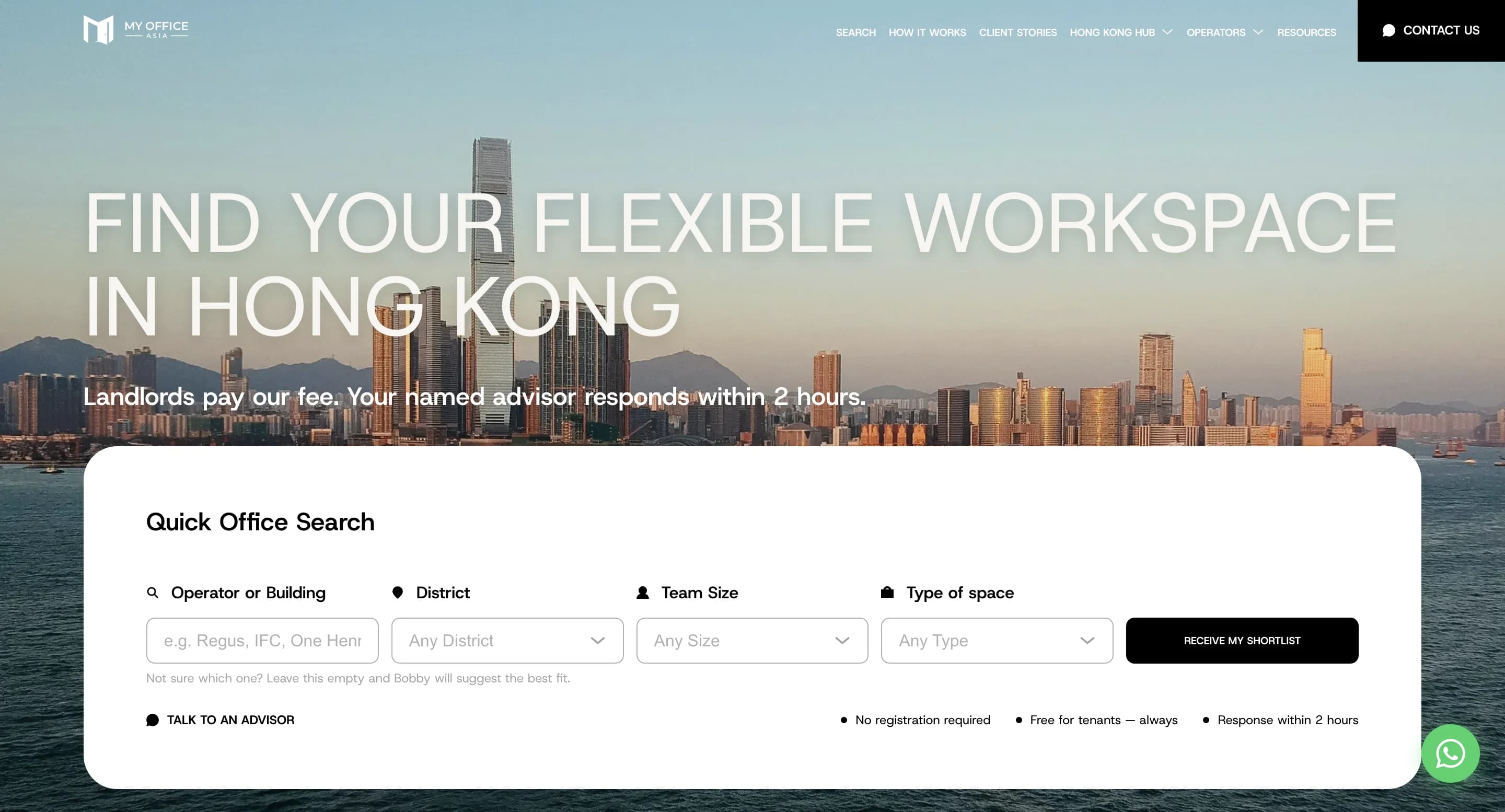
  1. 01My Office Asia  -  Flex Workspace Brokerage with Admin CMSDigital Experience & Brand SystemsMy Office Asia - Flex Workspace Brokerage with Admin CMSBrokerage platform for Hong Kong's flex-office market with editorial catalogue, advisor positioning, white-label-ready architecture and a custom admin with AI-assisted editorial helper.Read plate
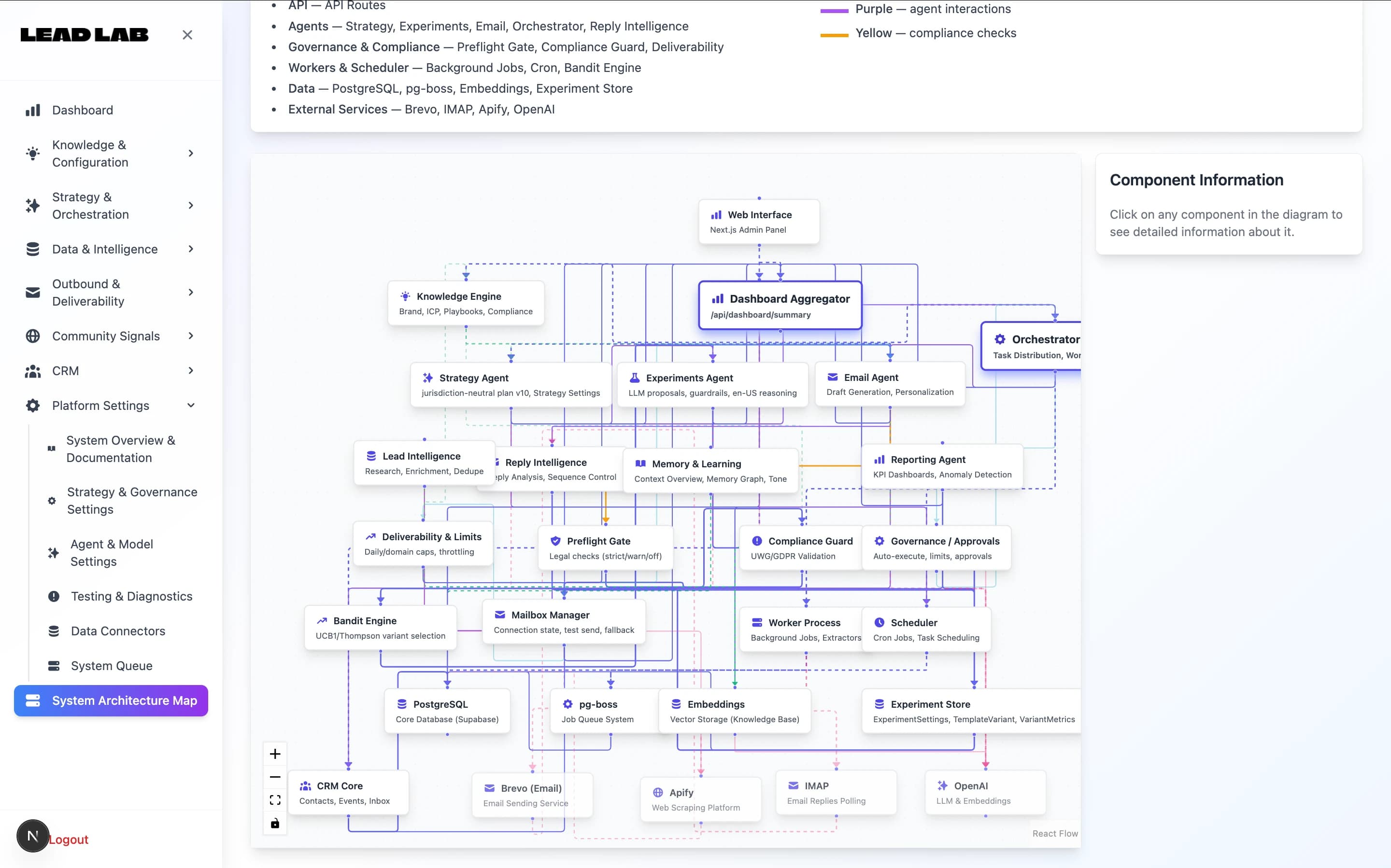
  2. 02Lead Lab  -  B2B Revenue Operations Platform with Automation & Intelligence FeaturesStartup EngineeringLead Lab - B2B Revenue Operations Platform with Automation & Intelligence FeaturesCustom B2B revenue operations platform for structured growth, experimentation and CRM-centric workflows — with optional automation and AI-assisted intelligence layered on top, under human oversight.Read plate
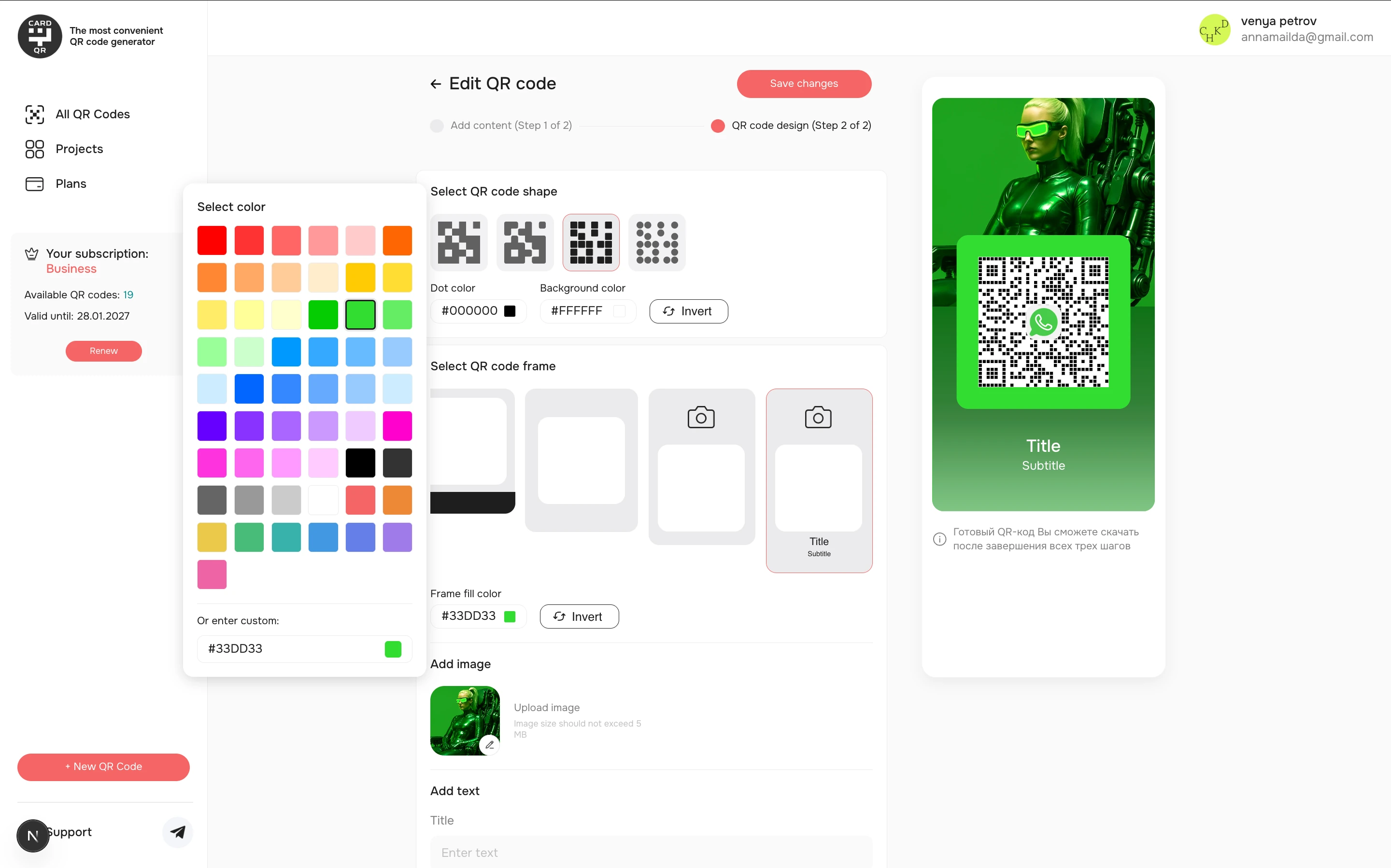
  3. 03Web Page Generator  -  SaaS Publishing Platform for QR & URL CampaignsStartup EngineeringWeb Page Generator - SaaS Publishing Platform for QR & URL CampaignsSaaS publishing platform for generating dynamic web pages connected to QR codes and custom URLs, with structured page management, campaign logic, and admin-controlled publishing workflows.Read plate
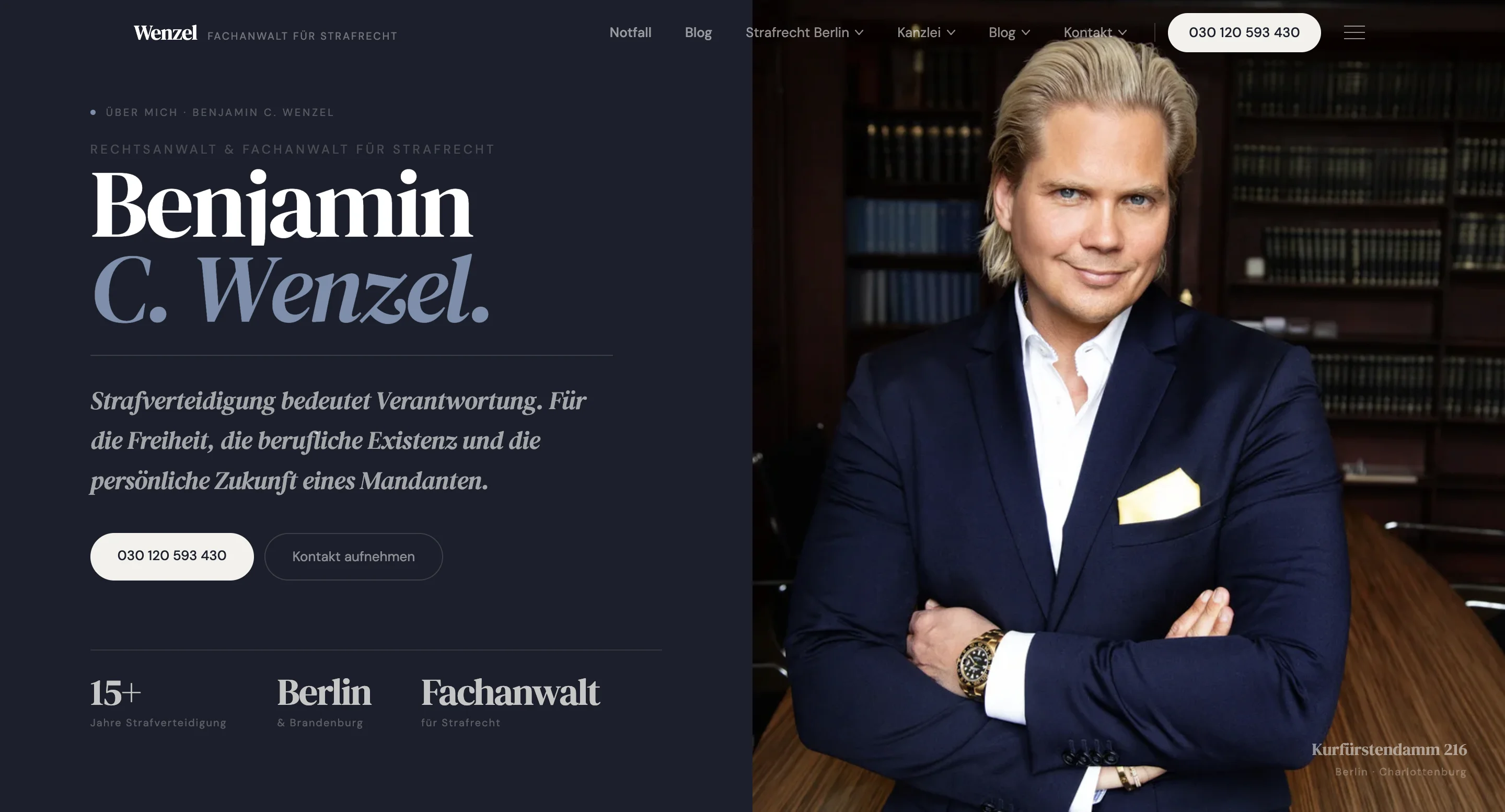
  4. 04Benjamin C. Wenzel - Criminal Defense Digital PlatformDigital Experience & Brand SystemsBenjamin C. Wenzel - Criminal Defense Digital PlatformCriminal defense digital platform with public authority layer, structured case intake, protected client portal, internal case workspace, document workflows, billing state and traceable case events.Read plate
FAQ

FAQ

  1. It can include document parsing, summaries, smart search, request classification, lead or ticket triage, internal assistants, workflow routing and automated reports. We focus on AI features that remove real manual work inside an existing product, portal, CRM or internal tool.

  2. Most B2B SaaS AI features are limited-risk or general-purpose, not high-risk. Annex III high-risk categories include employment decisions, credit scoring, education, law enforcement and critical infrastructure. If your AI feature touches any of those, high-risk obligations apply from August 2, 2026. We help you classify in the workflow design phase and design the architecture so reclassification later is structured, not a retrofit.

  3. Yes. We deploy Llama 3, Mistral, Mixtral and Qwen on Hetzner GPU instances (Falkenstein/Nürnberg), dedicated infrastructure or on-prem where required. This is common for BAIT, KRITIS or GDPR-strict clients where cloud providers (OpenAI, Anthropic, Google) are not contractually possible.

  4. A focused AI automation slice can often be delivered in 3–6 weeks after the workflow is defined. More complex systems with multiple data sources, permissions, human review and integrations usually require phased delivery.

  5. EU hosting where required, sub-processor inventory (which providers see which data), audit logs, human-in-the-loop on consequential actions, evaluation evidence on representative inputs. Architecture is prepared for audit review; we don't run the conformity assessment itself — that's an auditor's job.

  6. We can integrate with CRMs, internal tools, databases, document systems, websites, support tools, email workflows and custom APIs where access and project scope allow it. The key is defining the source of truth and what AI is allowed to read or change.

  7. It depends on scope — data, integrations, risk classification and review requirements all move the number. Engagements range from a short feasibility and workflow-design phase (2–4 weeks), through a single AI feature like parsing or smart search (6–10 weeks) and an AI-enhanced platform module (10–16 weeks), to a first internal copilot or operator-assistant phase (12–18 weeks). An EU AI Act readiness review on an existing system is typically 2–4 weeks. Final scope and quote depend on data, integrations, risk classification and review requirements.

  8. Usually we start with existing model providers and strong workflow design. Custom model training only makes sense when there is enough domain-specific data, a clear quality target and a business case that justifies the cost.

  9. For low-risk workflows, some automation can run without manual review. For sensitive workflows, we design human approval, confidence thresholds and fallback paths. We do not recommend using AI as an unchecked decision-maker for high-stakes processes.

Adjacent plates

Related services

  1. 01Internal Tools & Operations SoftwareAdmin panels and operations tools where AI features sit best.Open
  2. 02CRM Integration & Lead SystemsCRM-connected forms, routing and pipeline analytics.Open
  3. 03Data Engineering & Analytics PipelinesClean events, pipelines and reporting your team can trust.Open
  4. 04Client Portals & DashboardsRole-based interfaces where AI features can support real workflows.Open
  5. 05Custom Platforms & Business AppsCustom platforms, portals and internal systems.Open
Project in acute crisis?

If your existing AI integration has stalled

Stuck AI prototype that won't ship, runaway provider bill, hallucination problems with no eval harness, vanished contractor — see our Software Rescue service for a 48-hour triage flow.

Software Rescue & Take-over
Related articles

Keep reading from the blog.

More insights and best practices on this topic.

View all articles

H-Studio builds practical AI and automation features inside SaaS products, client portals, internal tools, CRM workflows and business platforms. We focus on workflow design, integration, human review, traceable outputs and handover-ready implementation — so AI supports the system instead of creating another disconnected tool.